> usage numbers for claude code
Easy Personal
The Easy Kit plug-in about you, not a repo: it turns your local Claude Code activity into usage numbers, warnings and an improvement plan, and manages your personal tool connectors.
Everything runs on your machine. It reads metadata only: token counts, model, time, project folder and tool names. It never stores message text. A kit part is one of the Easy Kit tools that leave files for it to read: the kernel, easy-verifier, easy-ui or easy-context.
git clone https://github.com/thunderkds/easy-personal-mcp.git
cd easy-personal-mcp
npm --prefix web ci && npm --prefix web run build
uv tool install --reinstall --no-cache .
- 12MCP tools
- 5connector providers
- 9dashboard views
Quick start in four steps
-
Install
After the build in the box above, install the tool.
uv tool install --reinstall --no-cache . -
Ingest
Copy your session metadata into the local store.
easy-personal ingest -
Register with Claude Code
Restart Claude Code. Claude can then read your numbers.
claude mcp add --scope user easy-personal -- easy-personal mcp -
Open the dashboard
A page on
127.0.0.1opens. Ctrl-C stops it.easy-personal dashboard
Schedule, connectors, upgrade and rollback: the full install and deploy guide.
The flow
There are two lanes. The first lane reads your activity. To ingest is to copy metadata into the store. The second lane connects a tool to Claude Code. A connector is a provider, such as Slack, set up for Claude Code with its secrets kept in the OS keychain. The launcher is the small command that Claude Code starts for a connector.
The diagram is hidden on a narrow screen. The numbered steps below tell the same flow.
Read
Files are only read, never changed. Nothing leaves your machine.
- transcripts + kit reportsClaude Code session files and the files that kit parts leave behind.
- ingestCopy metadata into the store. Message text is dropped.
- local storeOne SQLite file on your disk. It keeps history after Claude Code deletes old sessions.
- MCP · CLI · dashboardThree ways to read the same numbers. The dashboard listens on 127.0.0.1 only.
Connect
A secret goes to the keychain once. It is never in a config file or a command line.
- catalog formPick a provider and fill in its fields, in the dashboard or the CLI.
- OS keychainThe secrets are saved in the keychain of your operating system.
- claude mcp add-jsonThe official Claude Code command registers
easy-personal-launch exec <id>. - launcherIt reads the keychain and passes the secrets to the provider server as environment variables.
The dashboard
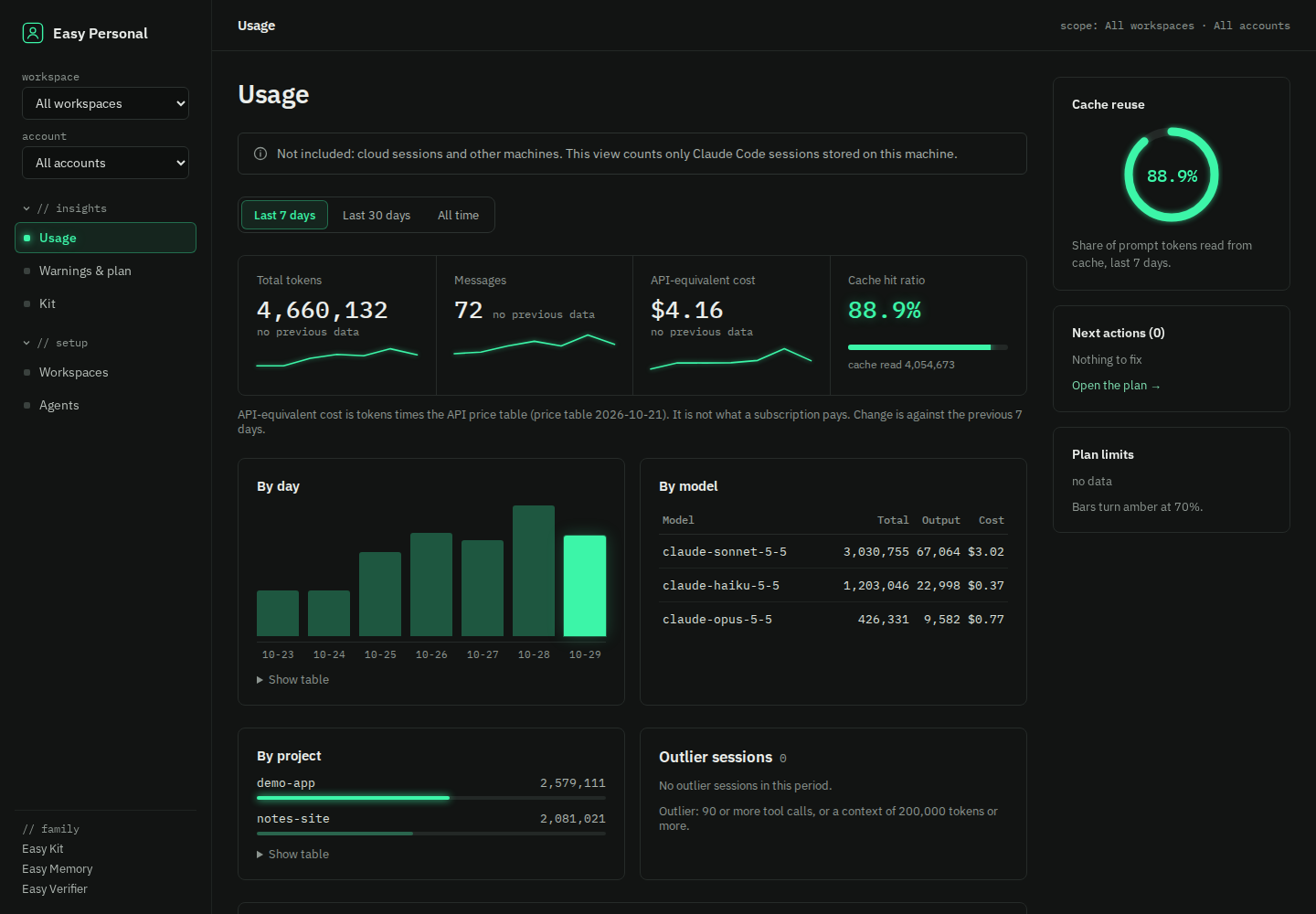
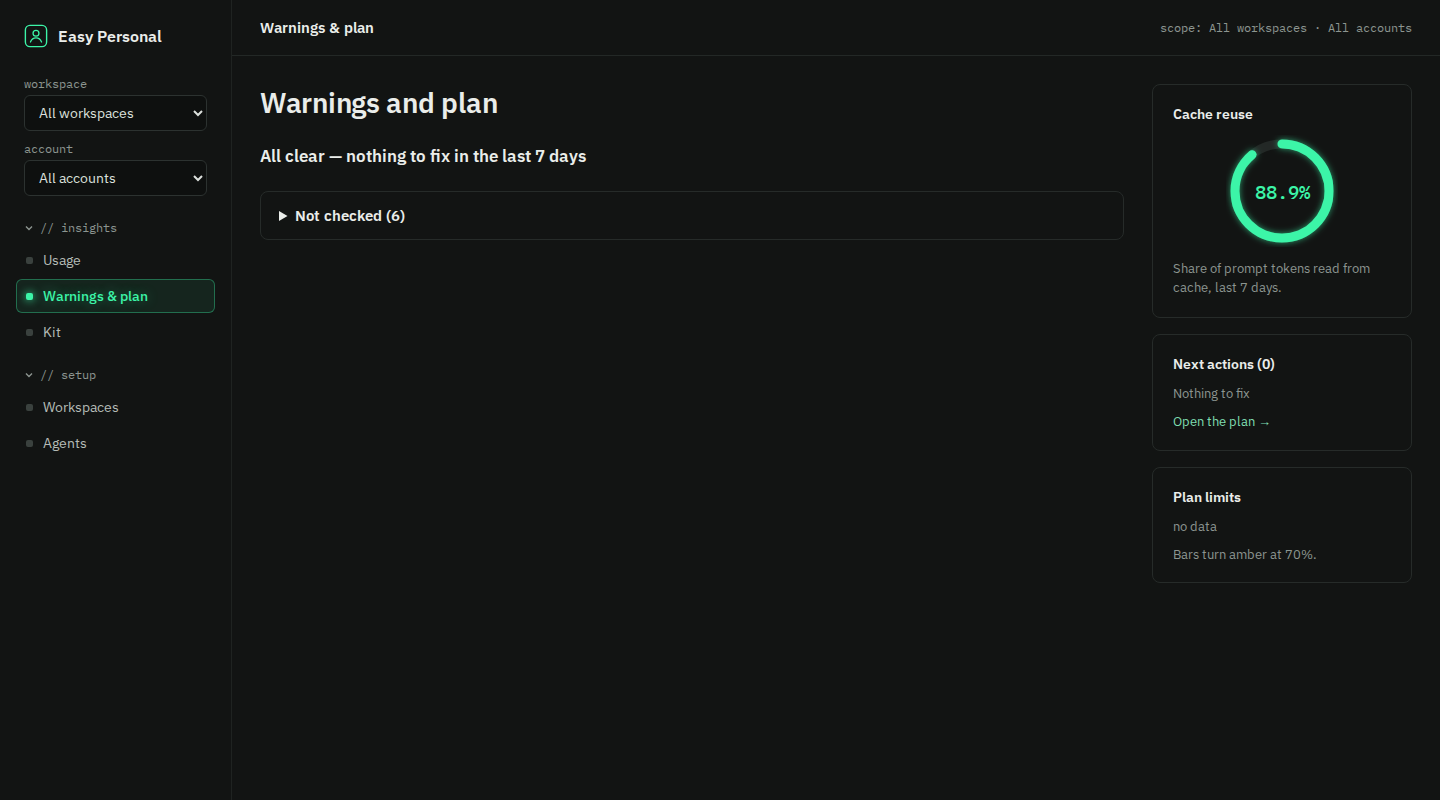
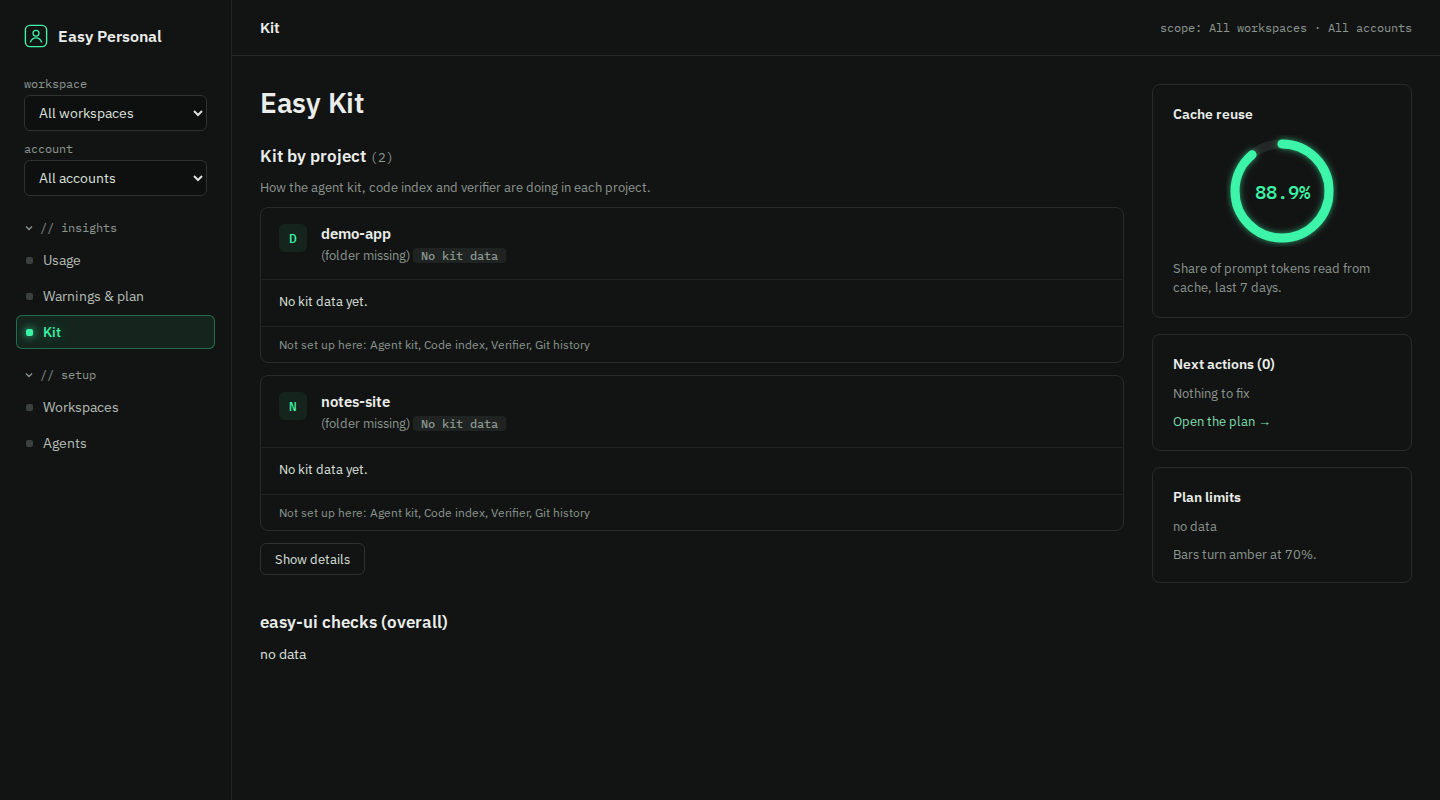
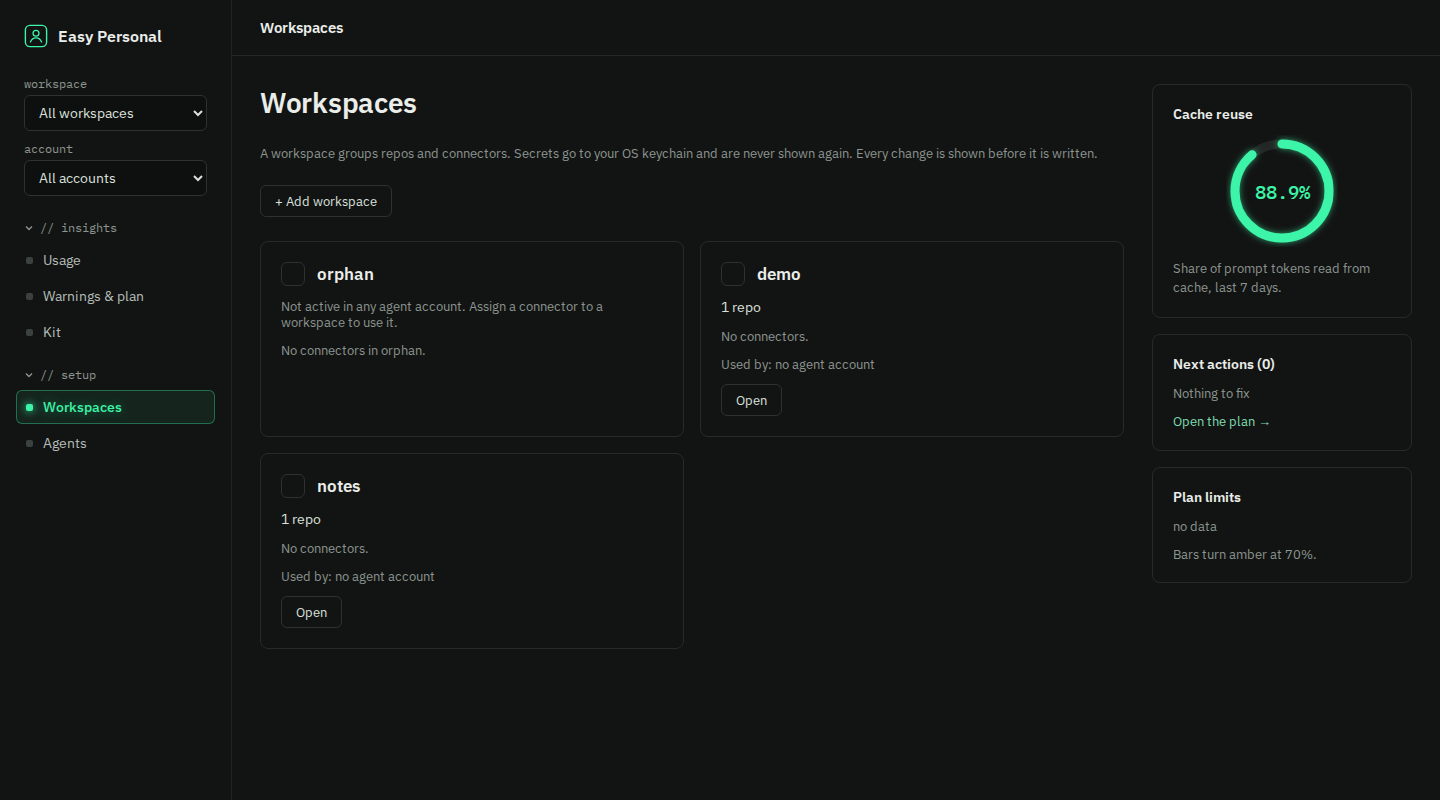
Run easy-personal dashboard to open it. These screenshots use test fixtures, not real usage. The projects demo-app and notes-site are made up.
What the dashboard does
- Live: It shows one session row for each active session: bars for tokens, cost and tool calls, and a chip for its kit stage, such as Stage 4 · code-review. A row opens in place to its tool feed, which labels each call, and the list stays complete after a restart or with two dashboards open.
- Kit by workspace: For each workspace it shows the easy-verifier scores (repos scored, lowest score, mean, newest report) and the easy-ui use (sessions, calls, last call). The easy-ui check results stay overall, not split by workspace.
- Report folders: Under each workspace row, Kit by workspace lists the report folders of its repos, as a reference: any folder in a repo root with report in its name. A folder opens to its files and a file opens in a new tab, with its own CSS and embedded screenshots, but a script in a report does not run.
- Scratch and unassigned repos: Usage opens its Scratch row to list the throwaway folders in it. The Workspaces page lists the repos that are in no workspace, each with an Add to control.
- Saved reports: The investigate prompt in Claude Code can save its report with
save_report, and the server adds its own numbers for every rule. The Warnings & plan page lists the saved reports, and an opened one shows each rule as before and now.
Install and deploy
You need Python 3.11 or newer, uv and Node.js. The dashboard page is built from web/ and is not in git, so build it before you install. It runs natively on Linux.
Install
git clone https://github.com/thunderkds/easy-personal-mcp.git
cd easy-personal-mcp
npm --prefix web ci && npm --prefix web run build
uv tool install --reinstall --no-cache .
Check the install:
easy-personal --version
easy-personal ping
First run
Claude Code deletes old transcripts after 30 days, so ingest often.
easy-personal ingest
easy-personal usage
easy-personal warnings
easy-personal plan
Register the MCP server
Then restart Claude Code. The server speaks stdio by default.
claude mcp add --scope user easy-personal -- easy-personal mcp
Open the dashboard
It runs an ingest, then starts the page on 127.0.0.1 with a new token each time. Press Ctrl-C to stop.
easy-personal dashboard
Schedule
A systemd user timer runs ingest every day.
easy-personal schedule install
easy-personal schedule remove
Connectors
Needs the claude CLI on PATH and a keychain backend. Restart Claude Code after a change.
easy-personal connector list
easy-personal connector add slack --workspace company
easy-personal connector remove slack
easy-personal doctor
Upgrade
Always use --reinstall --no-cache. Without it, uv can reuse an old build of the same version.
git pull
npm --prefix web ci && npm --prefix web run build
uv tool install --reinstall --no-cache .
Roll back
Back up the store before an upgrade:
cp -p ~/.easy-personal/store.sqlite ~/.easy-personal/store.sqlite.backup
To roll back, remove your connectors and the timer, uninstall the tool and restore the store:
easy-personal connector remove slack
easy-personal schedule remove
uv tool uninstall easy-personal-mcp
cp -p ~/.easy-personal/store.sqlite.backup ~/.easy-personal/store.sqlite
The full deploy, health check and rollback steps, and the common failures, are in the runbook.
Twelve MCP tools
None of them writes config or returns a secret.
| tool | what it does |
|---|---|
ping | Check that the server is up. |
usage_summary | Sessions, messages and tokens for a period. |
usage_breakdown | Tokens grouped by day, model, project or tool. |
session_outliers | Sessions with very many tool calls or a very long context. |
warnings | Rules that fired, each with its measured value. |
improvement_plan | The fired rules by priority, each with a fix line. |
kit_summary | What the Easy Kit did in each project. |
kit_findings | Which Easy Kit servers are linked to cheaper or better sessions. |
connector_catalog | The provider catalog. Never a secret value. |
connector_status | Whether each connector is set up, as yes or no. |
connector_suggestions | Providers your usage points to, with the counts behind each. |
save_report | Saves an investigate report, with the server's own numbers, to the store. |
Connector catalog
The catalog has five providers. Yes means Claude.ai has an official connector too. Use the launcher only if you want it instead.
- Gmailclaude.ai connector: yes
- SendGridclaude.ai connector: no
Messaging
- Discordclaude.ai connector: no
- Slackclaude.ai connector: yes
- Teamsclaude.ai connector: yes